Early preview A screenshot tool, written in Rust macOS · Windows · Linux

Screenshots at the < 50 msspeed of thought.

Press one key and the overlay is already there. Drag, let go, and the shot is on your clipboard, saved to disk, and filed in a library you can actually search.

Download for macOS Universal DMG · Apple silicon & Intel · other platforms
Fig. 1 — Try it here Press ⌘Shift2 or just drag across the image
The Snapwright library window, used here as a desktop to capture from
Library
0 captures
Nothing yet. Drag across the image above.
<50 msfrom hotkey to overlay, on every platform
5 msto repeat your last region to the clipboard
0%CPU while it waits in your tray
0accounts, servers or web views. Local-first.

The whole life of a screenshot.

From the keypress to the moment you need it again three weeks later. Built for the hundredth capture of the day, not just the first.

01 / 03

Capture without breaking flow.

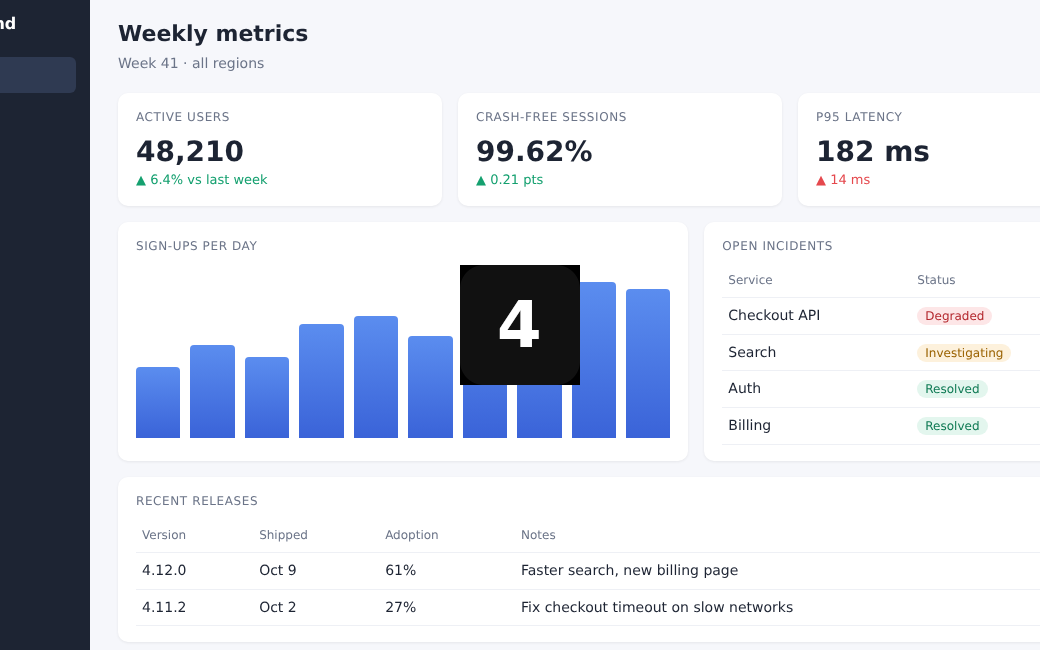
Snapwright stays warm in the background, so the overlay is there the instant you press the hotkey. The screen freezes, you pick a region, and it's copied and saved the moment you let go.

Region, window or full displaydrag · hover · click
Pixel-perfect nudge and resize← → · Shift + arrows
Copy any pixel as hexC
Repeat last region, no overlay⌘ Option Shift 2
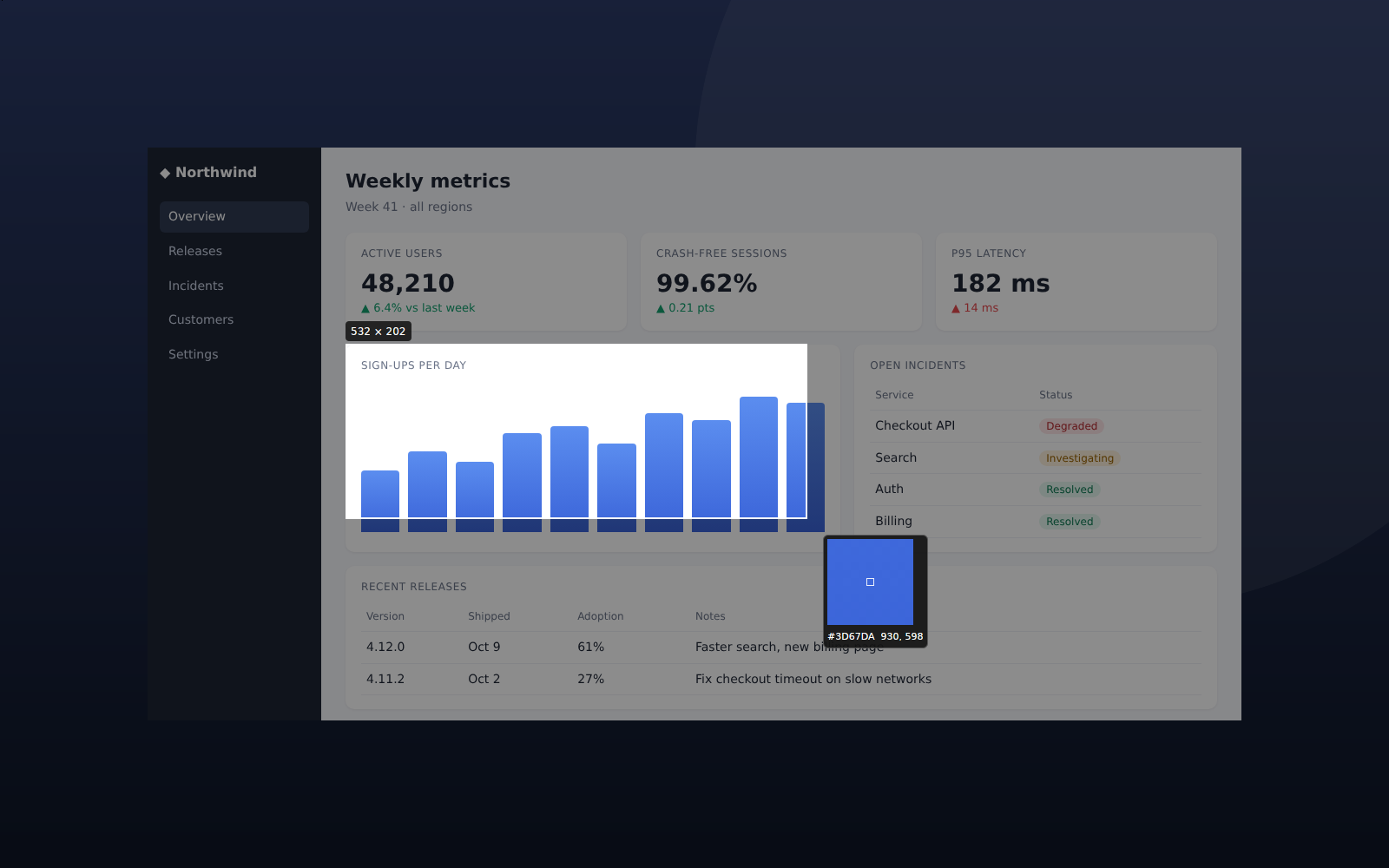
Selecting part of a dashboard with the size label and colour loupe
Fig. 2Live size label and a colour loupe that reads the exact pixel under your pointer.
02 / 03

Say it with arrows.

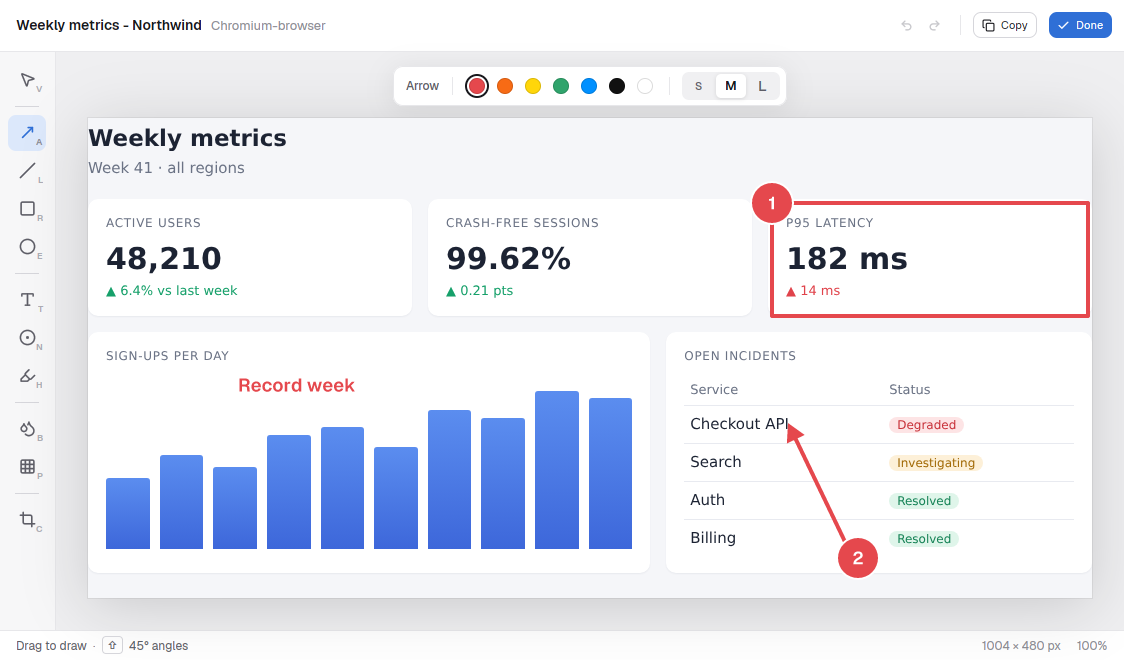
A focused editor with the tools you actually reach for. Every edit is non-destructive and saved beside the original, so you can change it next week or revert in one click.

Arrow · line · rectangle · ellipseA  L  R  E
Highlighter · text · numbered stepH  T  N
Blur and pixelate secretsB  P
Crop, 200 steps of undoC · ⌘ Z
The editor with a box, numbered steps, an arrow and a label on a dashboard
Fig. 3A box, numbered steps, an arrow and a label. Four keys.
03 / 03

Find it again.

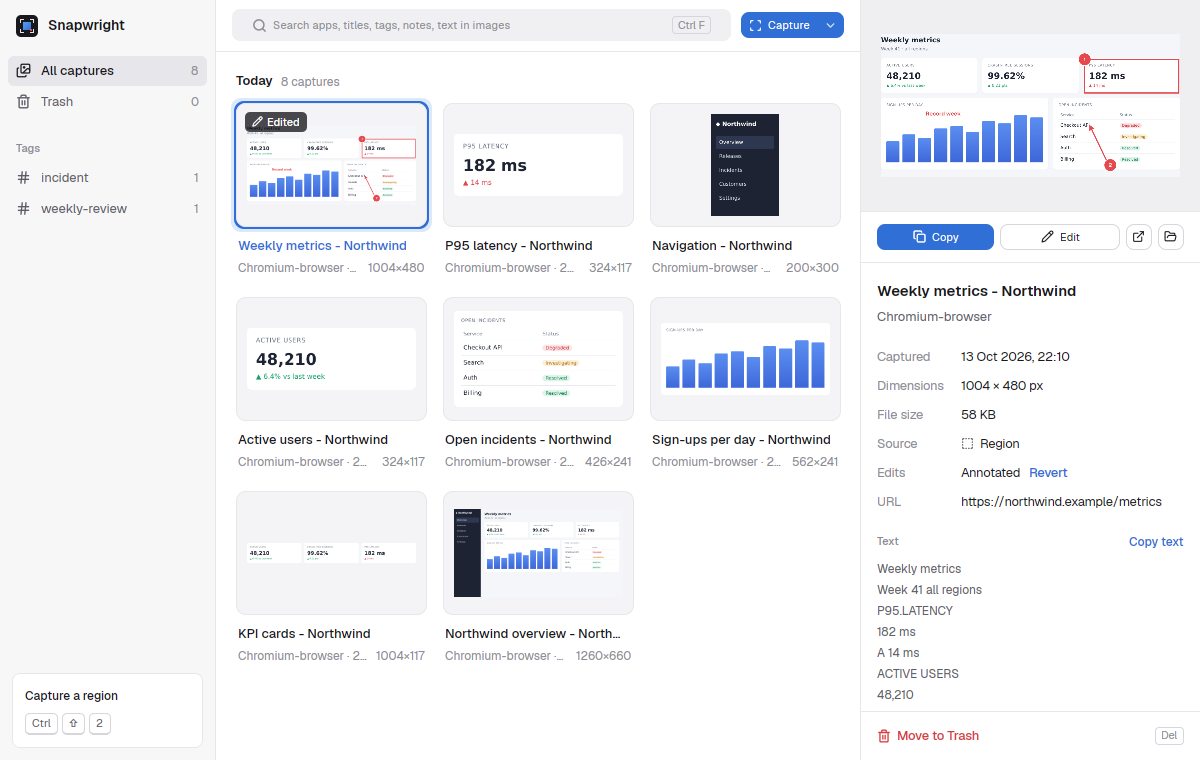
Each shot lands in a library with where it came from and the text inside it, so “that error from Tuesday” is one search away. It lives on your machine, not in someone's cloud.

Search apps, titles, tags, notes and the text in every shoton-device OCR
Smooth with thousands of capturesvirtual grid
Duplicates cost nothingcontent-addressed
Trash with restoreundo-safe
The library: a grid of captures with search, tags and details
Fig. 4Every capture keeps its app, window title, size, time and text. Tags and notes are yours.
Also in the box

Small tools. One key each.

A three second countdown before a capture
Delayed capture
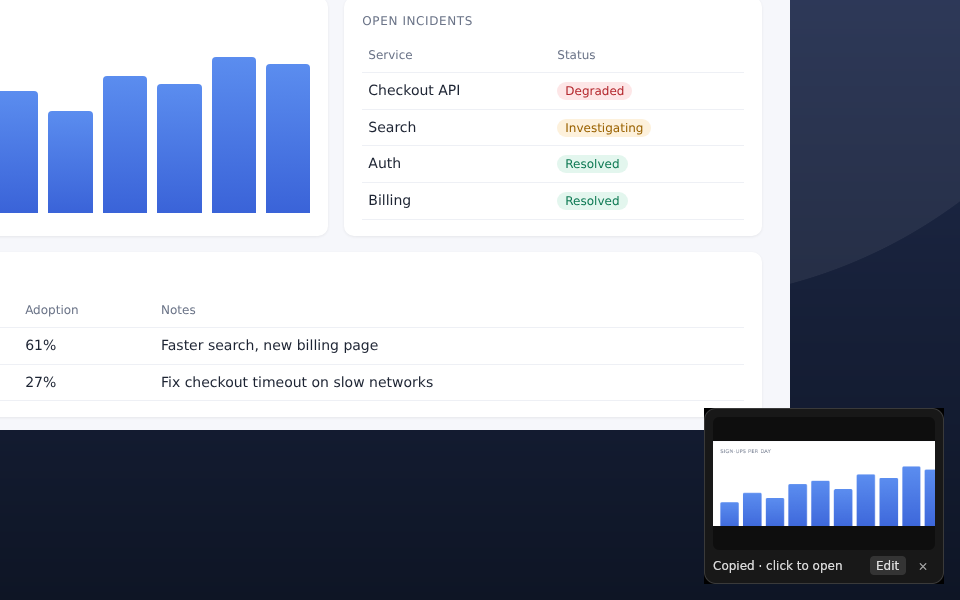
The quick-access preview after a capture
Quick-access preview
Screen recording⌘ Shift 6

Record a display or a region to MP4, or to GIF with Option added. Pause when you need to; the video lands in your library.

Copy the text in a selectionT

Select a region and press T: the words in it go to your clipboard, read on your machine.

Snap to windowhover + click

The window under your pointer highlights. One click captures exactly that window.

Delayed capturetray · 3 s

Catch menus, tooltips and hover states. The countdown is never in the shot.

Quick-access previewafter every capture

Click to open it in the library, or jump straight to the editor. It steps aside before your next shot.

Clipboard and file at oncePNG

Every capture is copied and saved to Pictures/Snapwright in the same instant.

Keyboard precisionShift on release

Hold Shift as you let go to keep adjusting the selection before it's taken.

Download

Native on every desk.

One Rust codebase using each system's fastest capture path. No Electron, no web view. Builds are published on GitHub as soon as they're cut.

Download for macOS Universal DMG · Apple silicon & Intel · release notes
macOSYOUR SYSTEM ScreenCaptureKit · Retina-aware Apple silicon and Intel. Grant Screen Recording on first launch. Universal DMG ↓
WindowsYOUR SYSTEM DXGI Desktop Duplication · per-monitor DPI Windows 10 and 11. Lives in your tray, starts in milliseconds. Installer · x64 ↓
LinuxYOUR SYSTEM X11 shared memory · ~4 ms at 1440p X11, and Wayland on wlroots compositors such as Sway and Hyprland. GNOME and KDE are next. AppImage · x86_64 ↓
curl -fsSL https://raw.githubusercontent.com/jeremielumandong/snapwright/main/install.sh | sh

Build from source

You need Rust; the toolchain is pinned in the repo. On Linux, install the GPUI dependencies first: libxkbcommon-dev libxkbcommon-x11-dev libwayland-dev libvulkan-dev libfontconfig-dev libfreetype-dev

$ git clone https://github.com/jeremielumandong/snapwright.git
$ cd Snapwright
$ cargo run --release -p snapwright-app